
Read a material
Read a material output directly and use its color value just the same as textures.
1. Prepare the material
Open a Surface material. Add Pixel Era: Sample Output and connect the color you want to RGB. Connect Alpha if needed; otherwise it returns 1. Apply the material and let it compile.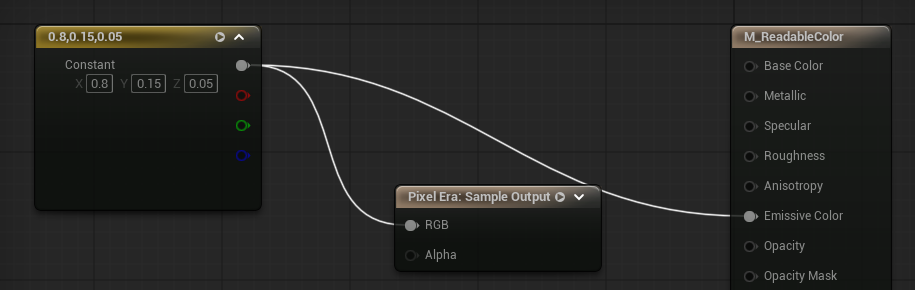
- Connect the color to RGBAlpha is optional; leaving it empty returns 1.
2. Request the color
Place Pixel Era Manager and keep its reference, as in Read a texture. Call Request Material Read with Key = MaterialProbe, your material or material instance, UV, and Precision.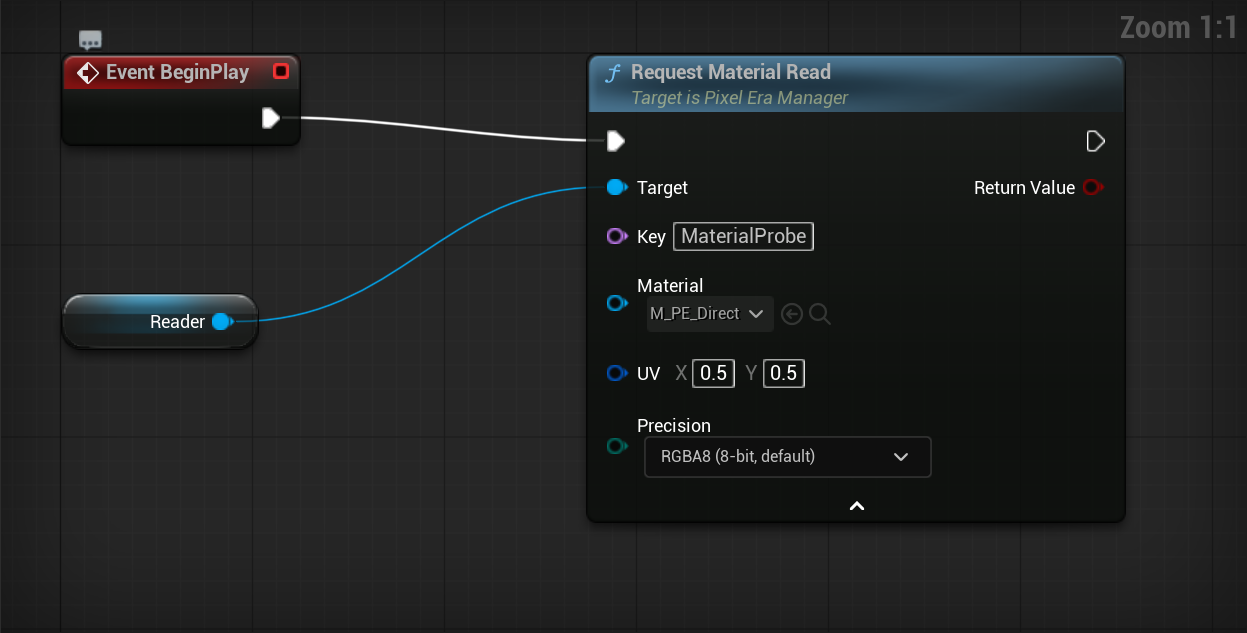
- Material or instanceUse the prepared material or one of its instances.
3. Use the result
Call Get Pixel Value with MaterialProbe and the same manager. Use Color when Available is true. Update the request when UV changes. Remove MaterialProbe when finished, as in Read a texture.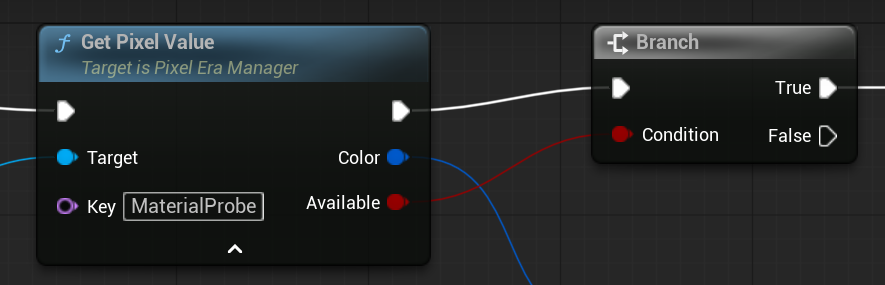
- Check AvailableUse Color on the true path.
Updated Oct 17, 2026