
Create a surface bake
Choose a source mesh and save a reusable bank.
- Create a TUNS Surface Bake Data Asset in your project.
- Choose the exact Mesh you plan to use. Static and skeletal assets are supported; the baker uses LOD 0.
- Choose a valid UV Channel. Add a Mask Texture if only part of the surface should emit.
- Choose a bank size. Start with 64 relaxation iterations and 32 integration samples per point.
- Click TUNS Bake, inspect the result and save.
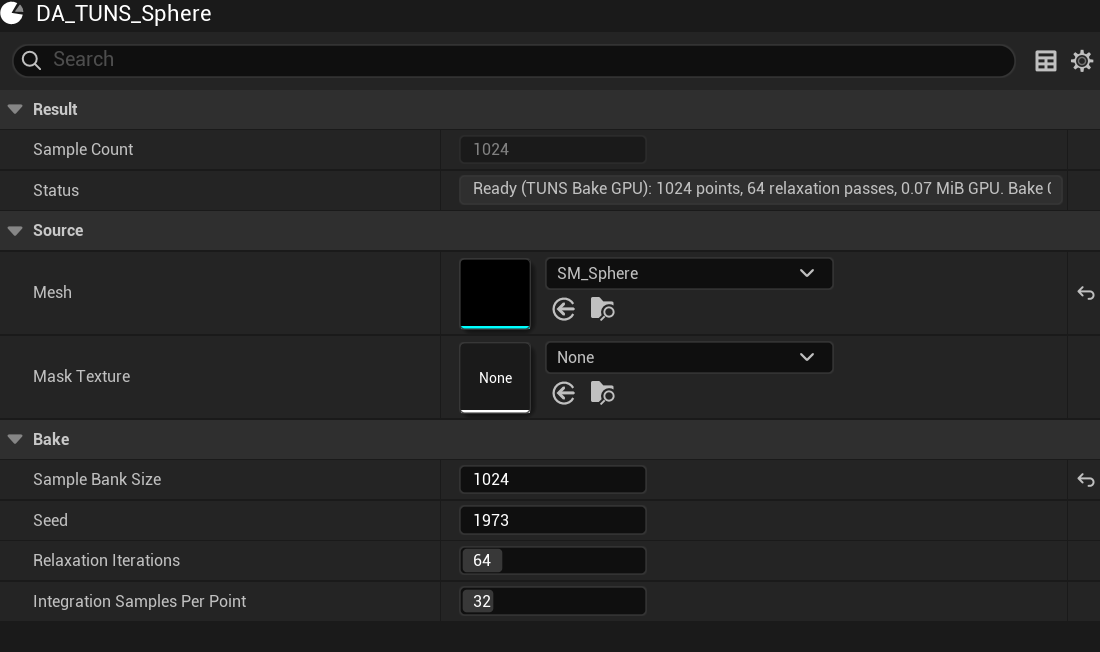
- Mesh
The LOD 0 surface to bake.
- Optional mask
Leave empty for the full surface.
- Bank size
Reusable points; Niagara controls live particle count.
A skeletal bake stores locations on triangles in the reference pose. The skeletal Niagara input resolves those locations against the matching mesh. A static bake also stores positions and normals.
A cancelled or failed bake retains previous data. That does not mean it matches your new settings; check Status and Is Ready.
Updated Oct 4, 2026